How to Unshorten a URL: Safe Link Inspection, Redirect Checking & Phishing Defense
Learn how to unshorten URLs and inspect suspicious links safely before clicking. Trace redirect chains, detect phishing traps, and understand tool boundaries.
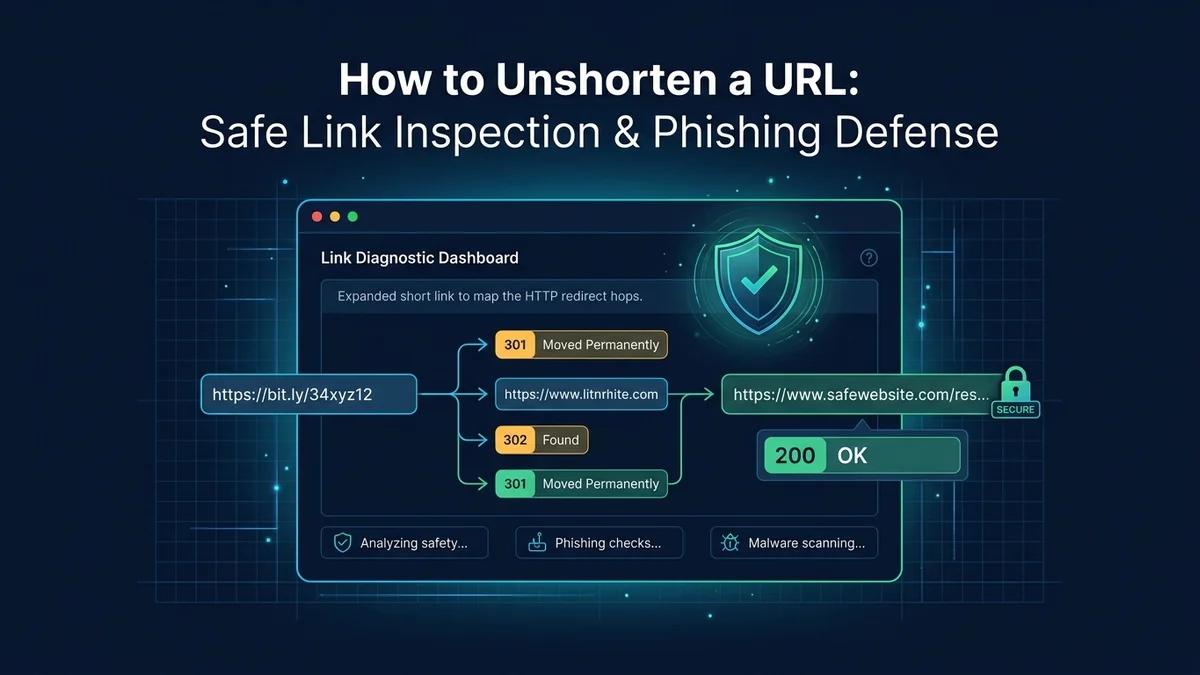
How to Unshorten a URL: Safe Link Inspection, Redirect Checking & Phishing Defense
Short links are an essential part of the modern internet. They make long, parameter-laden URLs manageable on social media platforms, readable on printed flyers, and concise in SMS text messages.
However, the very characteristic that makes short links convenient—obfuscating the true destination URL behind a generic domain—also makes them a favored tool for cybercriminals. Phishing campaigns, credential harvesting traps, social engineering scams, and malware distributors frequently wrap dangerous destinations inside short links. Because the preview looks like a standard bit.ly or t.co link, users cannot inspect the domain name before clicking.
Fortunately, you do not have to click blindly. By unshortening links and inspecting intermediate HTTP redirect chains in a controlled environment, you can reveal the true destination and evaluate potential security risks before a browser ever loads the target website.
This guide explains how short links operate under the hood, details step-by-step methods to unshorten and inspect suspicious URLs safely, outlines red flags for phishing detection, and explains the boundaries of HTTP diagnostic tools.
What Happens When You Click a Shortened URL?
To understand how to safely unshorten a link, it helps to understand what occurs during a standard web redirect.
When you click or enter a shortened URL (such as https://urlshortpilot.com/promo), your browser does not immediately load a webpage with text and graphics. Instead, it engages in an HTTP negotiation:
1. Browser Request:    GET https://urlshortpilot.com/promo
2. Server Response:     HTTP/1.1 301 (or 302/307)
                        Location: https://destination.com/target-page
3. Browser Follow-up: GET https://destination.com/target-page (Loads Destination)- DNS Lookup & Connection: The browser contacts the shortening service's server.
- Status Code & Location Header: The shortener's server responds with an HTTP redirect status code (typically
301 Moved Permanently,302 Found, or307 Temporary Redirect) accompanied by aLocationheader containing the destination URL. - Automatic Forwarding: Standard web browsers automatically follow the
Locationheader, dispatching a new request to the destination server and executing any client-side JavaScript, cookies, or downloads hosted on that target page.
When an attacker sends a malicious short link, the risk occurs in step 3. If you click the link directly in your browser, your device immediately establishes a connection to the attacker's server, potentially exposing your IP address, browser fingerprint, or exposing you to malicious drive-by exploits.
5 Safe Methods to Unshorten and Inspect Short Links
To inspect a short link safely, you must extract the Location header without allowing your local browser to load or execute scripts from the target server.
Here are five proven methods to unshorten links safely:
┌──────────────────────────────────────┬──────────────────────────────────────┐
│ Safe Inspection Method               │ Best For                             │
├──────────────────────────────────────┼──────────────────────────────────────┤
│ 1. Free Web URL Unshortener          │ Instant browser preview without code │
│ 2. Multi-Hop HTTP Redirect Checker   │ Tracing affiliate or multi-hop chains│
│ 3. Pre-Flight Link Reachability Tool │ Verifying HTTPS and server responses │
│ 4. Native Provider Preview Shortcuts │ Quick checks on Bitly & TinyURL links│
│ 5. Terminal cURL Header Inspection   │ Developers and security engineers    │
└──────────────────────────────────────┴──────────────────────────────────────┘
Method 1: Use an Online URL Unshortener Tool
The simplest and safest approach for non-technical users is to use an online unshortener utility.
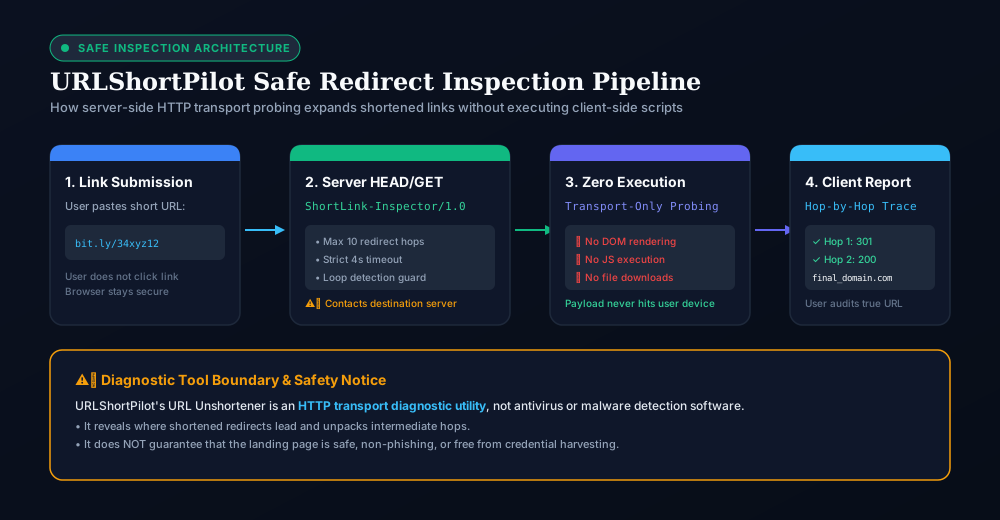
Our free URL Unshortener performs a server-side transport probe: our backend server dispatches an outbound HTTP request (User-Agent: ShortLink-Inspector/1.0, max 10 redirect hops, 4-second timeout), reads the incoming Location headers, and returns the expanded destination URL directly to your screen—without your personal browser ever connecting to the untrusted endpoint:
- Copy the suspicious short link from your email, message, or document. (Do not click it).
- Open the URLShortPilot URL Unshortener.
- Paste the short link into the input field and click Unshorten URL.
- Review the final landing page address and intermediate redirect hops safely.
Note on Server Probing: Because our backend contacts the destination server to extract headers, the target server will record an inbound transport probe from URLShortPilot's server IP (ShortLink-Inspector/1.0), shielding your personal IP address, browser cookies, and local environment.
Method 2: Trace the Full Redirect Path with a Redirect Checker
Some deceptive campaigns employ nested redirects (also called redirect chaining). An attacker might create a short link that redirects to a secondary shortener, which redirects through an advertising network, which finally lands on a phishing site.
To inspect every link in the chain, use the free HTTP Redirect Checker:
- It traces each intermediate hop up to 10 sequential steps.
- It displays the HTTP status code (301, 302, 307, 308) and response latency for each hop.
- It reveals if the request switches from secure HTTPS to unencrypted HTTP.
- It detects circular redirect loops designed to crash scrapers.
Method 3: Pre-Flight URL Structure & Reachability Inspection
If you want to verify that an endpoint is online, resolves DNS properly, and uses valid HTTPS certificates before sharing it with a team, you can run it through the Link Checker. This tool inspects URL syntax, protocol validity, and basic server response codes.
Method 4: Use Native Provider Preview Tricks
Several major legacy URL shorteners have built-in preview mechanisms that let you view destination information on the provider's domain:
- Bitly Links: Add a plus sign (
+) to the very end of any Bitly link.
Example: https://bit.ly/example+
Instead of redirecting you, Bitly loads a public preview page displaying the original destination URL and aggregate click traffic.
- TinyURL Links: Insert
preview.immediately beforetinyurl.com.
Example: https://preview.tinyurl.com/example
TinyURL will display an intermediate confirmation page showing the target destination.
Note: These native preview tricks only work if the link was created on that specific provider's domain and the provider supports the preview feature.
Method 5: Terminal Header Inspection with cURL (For Developers)
If you are comfortable with command-line tools, you can use curl to fetch only the server response headers, preventing your computer from downloading or rendering the destination payload:
# Inspect the immediate redirect without following it
curl -I https://bit.ly/example

# Follow all intermediate hops and show headers for each hop
curl -sIL https://bit.ly/example | grep -E "HTTP/|location:" -i
Example Output:
HTTP/2 301
location: https://intermediate-tracker.com/link/8812
HTTP/2 302
location: https://actual-target-website.com/login
HTTP/2 200
This lets you inspect the entire chain in milliseconds directly from your terminal.
How to Spot Phishing & Dangerous Redirects
Once you have unshortened a link and revealed its true destination URL, examine the address carefully before deciding whether to visit it. Look for these common red flags:
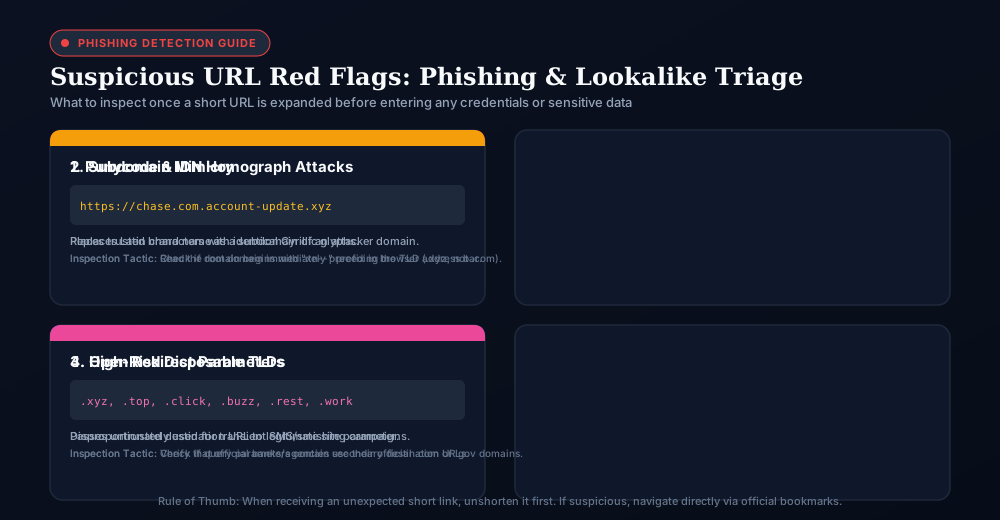
1. Typosquatting & Lookalike Domains
Attackers routinely register domains that closely mimic legitimate brands:
paypa1.cominstead ofpaypal.com(using the numeral1instead ofl).arnazon.cominstead ofamazon.com(combiningrandnto resemblem).micro-soft-support-login.cominstead ofmicrosoft.com.
Always look at the core registered domain (the domain immediately preceding the top-level domain .com, .org, etc.), rather than misleading subdomains.
2. Excessive Subdomain Masking
Phishing operators frequently create deceptive subdomains on unrelated domains:
https://chase.com.account-verification-security.net/loginIn this example, the actual domain is account-verification-security.net. The text chase.com is merely a deceptive subdomain designed to fool users glancing at their address bar.
3. Open Redirect Exploitation
An open redirect occurs when a legitimate, high-reputation website has a poorly configured redirect parameter that attackers exploit:
https://trusted-bank.com/out?url=https://malicious-phishing-site.comBecause the link starts with trusted-bank.com, email filters and security scanners may initially classify the link as safe. When unshortening links, verify that the link does not pass external destination URLs through an open redirect parameter.
4. High-Risk TLDs & Newly Registered Domains
While malicious sites can exist on .com or .org, scammers disproportionately utilize inexpensive or free top-level domains (such as .xyz, .top, .click, .buzz, or .work) for transient phishing bursts.
Important Tool Boundaries: What HTTP Diagnostics Cannot Do
When evaluating link safety tools, understanding the technical boundaries of diagnostic utilities is critical for maintaining cybersecurity hygiene.
Important Safety Notice: URLShortPilot's public utilities—including the URL Unshortener, HTTP Redirect Checker, and Link Checker—are network transport and HTTP inspection tools, not antivirus software.
┌────────────────────────────────────────────────────────────────────────┐
│ WHAT HTTP INSPECTORS DO:                                               │
│ • Unpack HTTP 301, 302, 307, and 308 redirect headers                  │
│ • Reveal intermediate destination URLs and server status codes         │
│ • Measure network round-trip response latency across hops              │
│ • Identify protocol upgrades and circular redirect loops               │
├────────────────────────────────────────────────────────────────────────┤
│ WHAT HTTP INSPECTORS CANNOT DO:                                        │
│ • Scan file downloads or software binaries for computer viruses        │
│ • Inspect browser DOM JavaScript execution or client-side exploits     │
│ • Verify whether an e-commerce checkout is a legitimate business       │
│ • Guarantee that a destination page is 100% safe or free of phishing   │
└────────────────────────────────────────────────────────────────────────┘
If an expanded destination URL leads to an unknown domain or an unsolicited request for credentials, do not enter sensitive passwords, credit card numbers, or download software, even if the domain successfully resolves with an HTTP 200 status code.
Summary: Safe Link Inspection Checklist
Before clicking an unfamiliar short link sent via email, SMS, or direct message:
- Do not click directly: Copy the short URL string to your clipboard.
- Unshorten the link: Paste the link into our free URL Unshortener or HTTP Redirect Checker.
- Verify the true domain: Ensure the final landing domain matches the organization claiming to send the message.
- Inspect the protocol: Ensure the final destination uses secure
https://with a valid SSL certificate. - Beware of urgent language: Scams often combine short links with fake account suspensions or delivery alerts.
- When in doubt, navigate directly: If you receive a short link claiming to be your bank or utility provider, ignore the link and open the provider's official app or bookmark directly.
To learn more about how HTTP redirects work from an engineering perspective, explore our technical guide on 301 vs. 302 redirects for SEO and web architecture.
Ready to streamline your links?
Create fast, secure short links with real-time analytics, custom domains, and enterprise-grade anti-abuse protections.
Related Technical Guides
6 Best Bitly Alternatives in 2026: Pricing, Free Limits & Feature Comparison
Looking for Bitly alternatives? Compare the 6 best URL shorteners in 2026: free plan limits, click analytics, QR capabilities, custom domains, and pricing.
Branded Short Links ROI: How to Measure the Value of Branded URLs
Learn how to measure the ROI of branded short links: formulas for incremental contribution profit, A/B testing protocols, GA4 attribution, and domain cost analysis.
301 vs 302 Redirects: Differences, SEO Impact & Best Practices
Learn the differences between 301 and 302 redirects: SEO impact, link equity, browser caching, 307 vs 308, and why URL shorteners use temporary redirects.